Backslash GUI
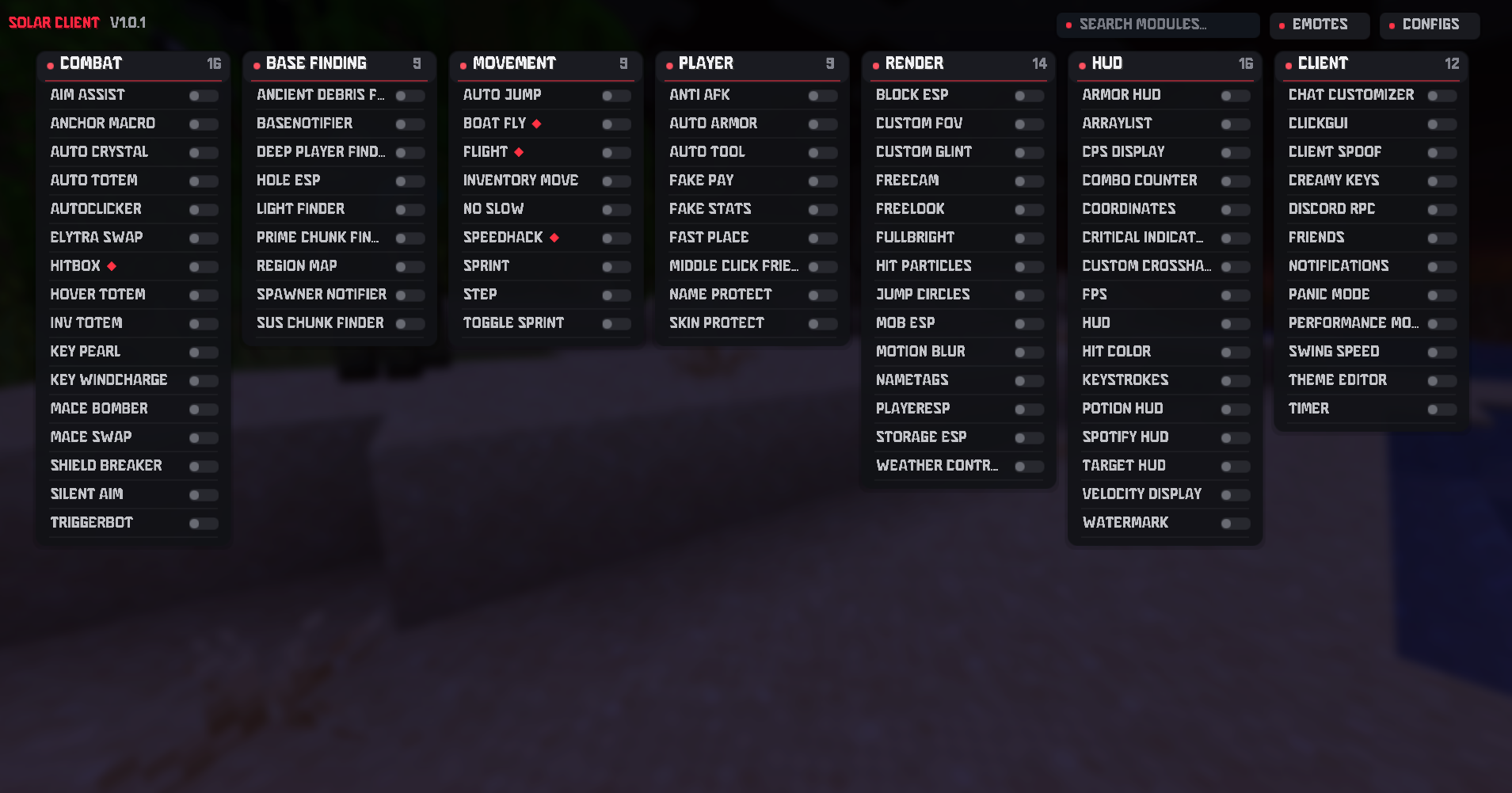
Press \ in game for module search, categories, settings, and saved preferences.
 Solar Client
Fabric 1.21.11
Sign in with Discord
Solar Client
Fabric 1.21.11
Sign in with Discord
Minecraft Cheat Client
A Fabric 1.21.11 client overlay with a compact GUI, modern HUD, saved settings, and a clean red style. Press \ in game to open it.
Solar Client
Why Solar
Solar Client is designed around a clean overlay experience: fast to open, easy to scan, and styled like a real client people would use every day.
Press \ in game for module search, categories, settings, and saved preferences.
Watermark, arraylist, FPS, CPS, coordinates, armor, potion effects, keystrokes, and Solar branding.
Client-side Fabric integration that keeps vanilla Minecraft familiar while adding premium tools.
Modules
Modules are grouped into simple categories so settings stay easy to find. The paid build keeps the full Solar feature set in one polished interface.
Interactive preview
Explore the real Solar Client categories and module settings in a browser replica of its ClickGUI.
The module list, descriptions, defaults, and settings mirror the current client source. Browser changes stay in this browser and do not control Minecraft.
Setup
Get the Solar Client jar from your access channel.
Place the jar inside your Fabric mods folder for Minecraft 1.21.11.
Start Minecraft, load Fabric, then press \ to open the Solar Client GUI.
Access
$5.99
Downloads
Solar Client is $5.99. Choose a payment method below, then send your Minecraft username so staff can activate your account.
Latest build: Solar Client Paid 1.0.2, updated October 16, 2026. Licensed users can download it from the Updates channel.
Pay here with your real PayPal, Cash App, Stripe (Soon). MAKE A TICKET WITH PROOF OF THE PURCHASE WHEN DONE
FAQ
Solar Client Paid is built for Minecraft Java 1.21.11 using Fabric and Java 21.
Press \ (backslash) to open the Solar Client GUI.
No. Solar Client is an independent project and is not affiliated with Mojang or Microsoft.